Units Module
Using the new Units panel, dispatchers can now:
-
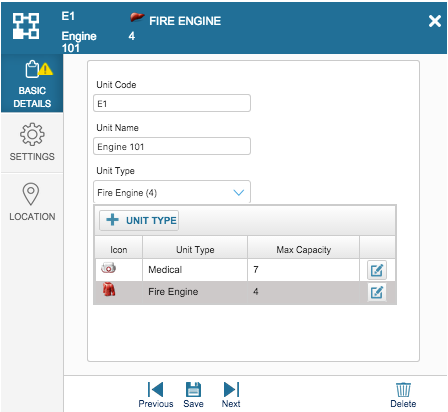
Create or edit units and define their settings:
- Unit type and icon
- Number of users per unit
- Location handling (i.e., what to display on the map)
- Dispatch handling (i.e., which user will receive the incident when the unit is dispatched)
- Geofence alerts
The configurations are available directly from within the Dispatcher screen.
-
Define the status of units:
- In Service
- Out of Service
-
Associate users with the unit:
- Define the team leader.
-
Enable the unit to consolidate the roles and equipment that are connected to its associated users.
You can also search for units from the global search field.


