Review your organization's Profile settings and ensure that the licenses are applied to the profiles as required.
To apply a license to a user in the User Management window
- In the Dispatcher screen, select
 Users icon from the taskbar.
 - In the User Panel, stand on the user's image displayed in the Actions column and select Edit from the popup menu. The User Management window opens.
- In the User Management window, select ORGANIZATION tab and then select the Profiles to select a profile for the user.
- Select the Profile required for your user.
-
Click Save.
Each profile has its associated user license/s displayed as below:
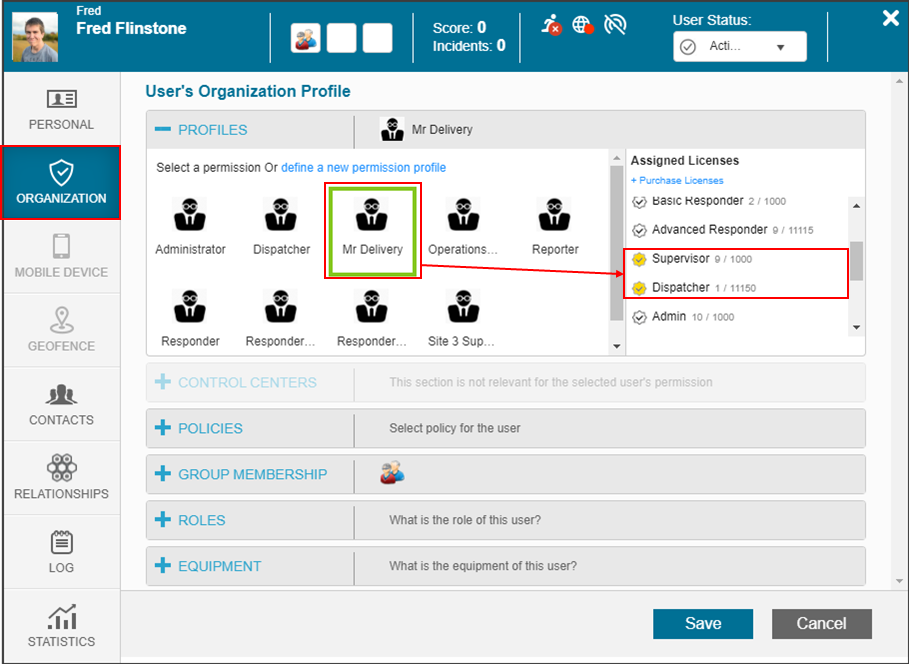
Shown on the right side of the panel in Assigned Licenses is the number of licenses your organization has assigned out of the total number available in that profile is shown.


